DESIGNING FOR ACCESSIBILITY USING MACHINE LEARNING
A reflection on how I designed HandTalk, my capstone project that blends empathy, research, and machine learning to reimagine how beginners experience learning American Sign Language online.
Updates
Sep 27, 2025

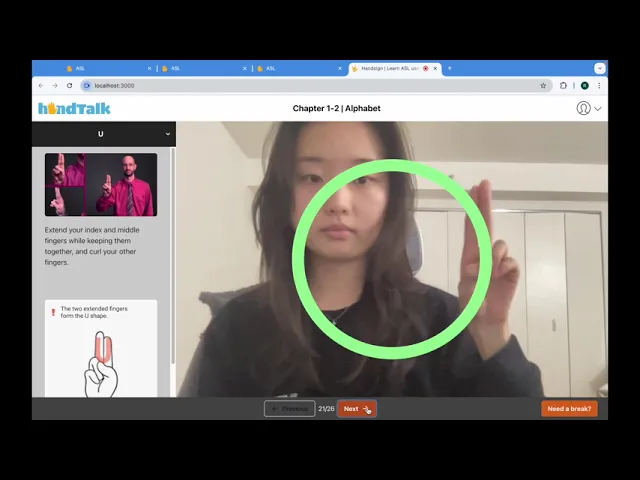
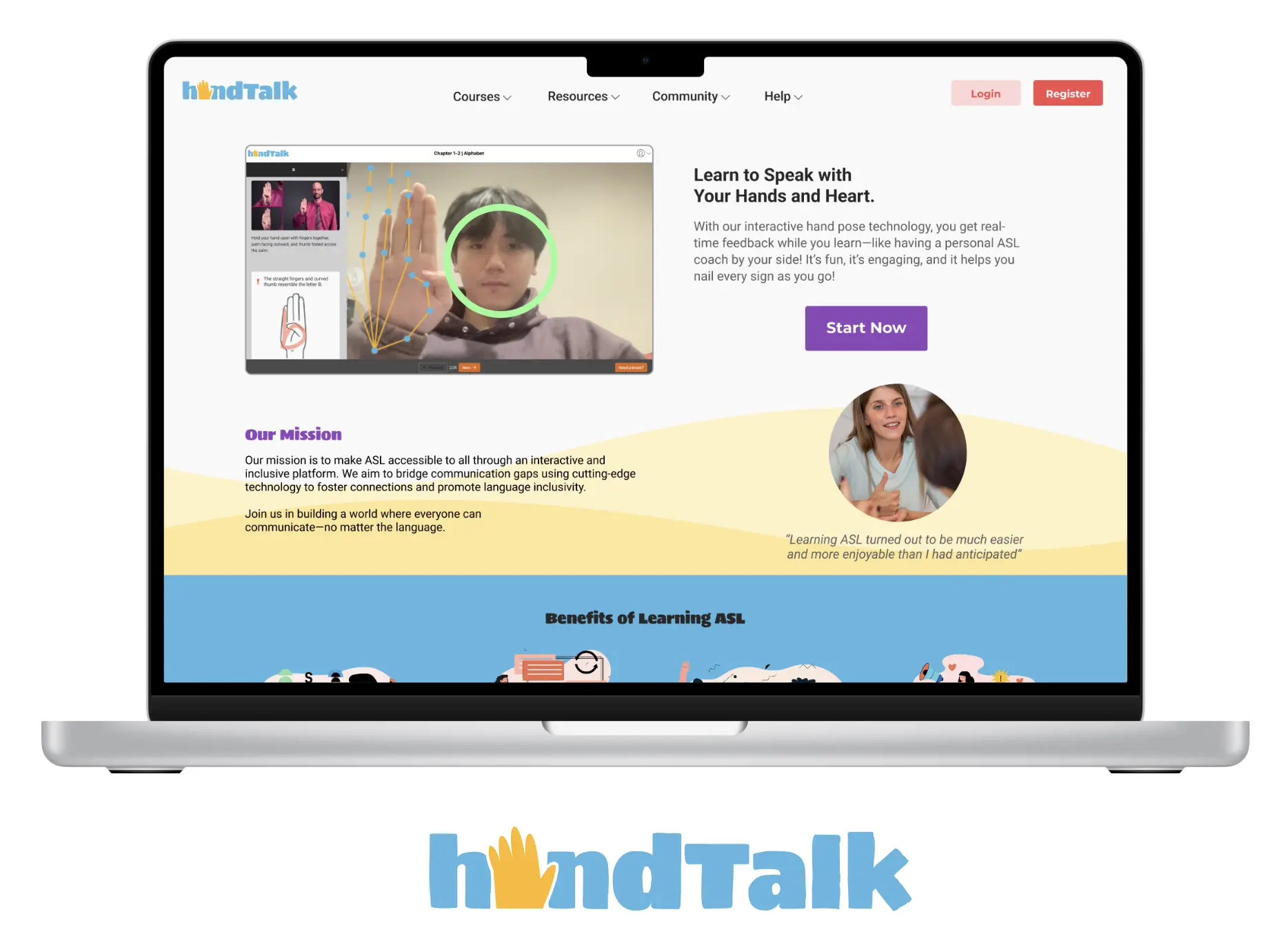
When I started my capstone project, I wanted to take on something meaningful: a design challenge that blended accessibility, technology, and education. That’s how HandTalk, an interactive web platform that helps beginners learn American Sign Language (ASL), was born.
Why ASL?
My interest in ASL grew out of my work with underrepresented communities through Give Orange New York Inc. While I had supported many causes, I realized I had never focused on the Deaf community, a group often overlooked in design and technology. As a UI/UX designer passionate about accessibility, I wanted to explore how digital tools could make ASL learning less intimidating and more engaging.
The Challenge
Most ASL learners rely on static videos or books that lack real-time feedback. Beginners often struggle with memorization, hand fatigue, or uncertainty about whether they’re signing correctly. My goal was to design an experience that felt supportive, interactive, and fun rather than isolating.
Research & Insights
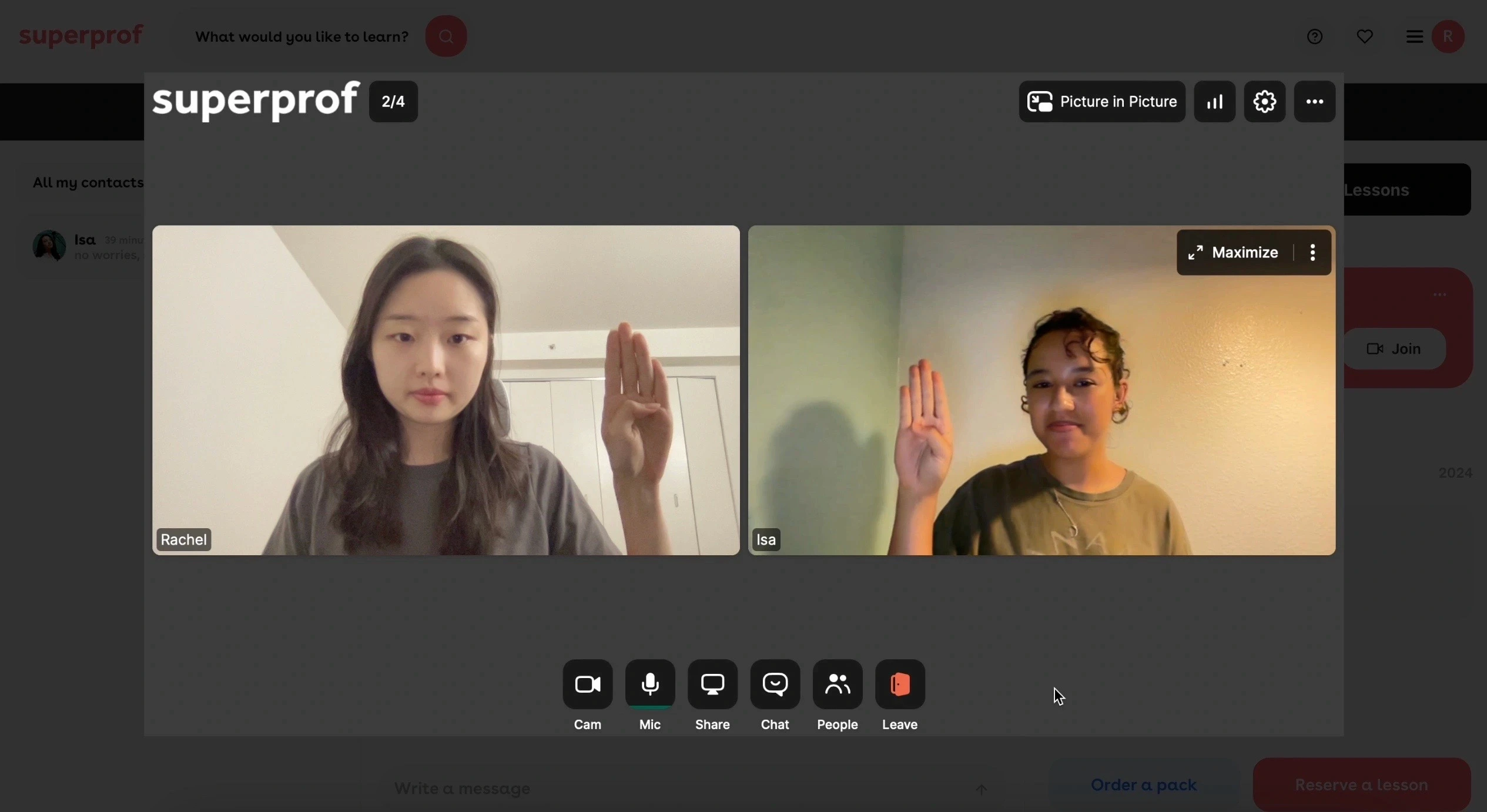
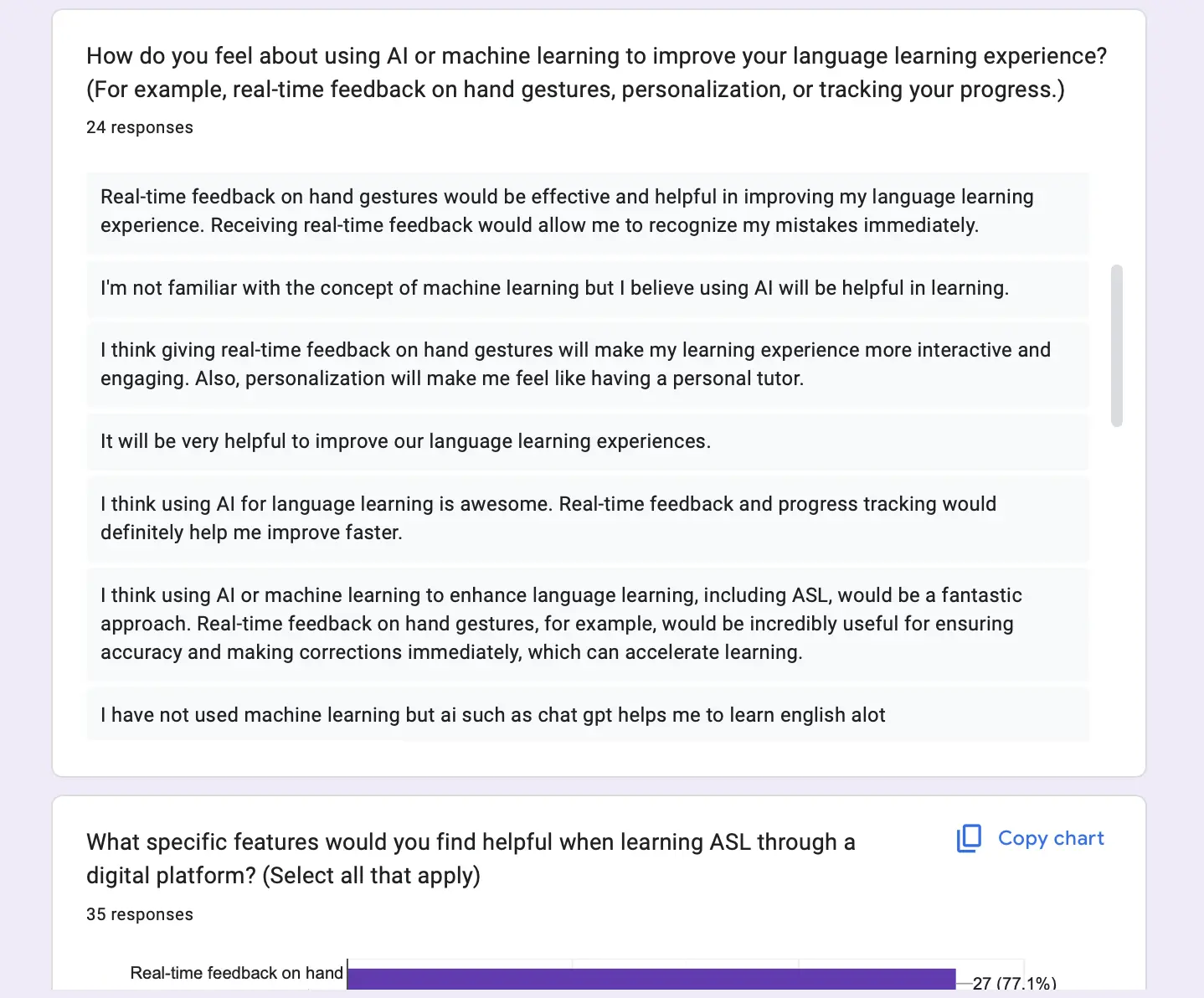
I conducted a user survey with peers, took ASL classes for hands-on experience, and interviewed with two ASL instructors (Isa, a hearing ASL teacher, and Taj, a Deaf certified instructor). Their feedback emphasized:
Real-time feedback is essential to prevent bad habits.
Video from multiple angles is more effective than static images.
Learners often want to start with the alphabet first.
These insights became the foundation for HandTalk, and you can see how they translated into features and design choices in my academic paper and presentation.
Design Process
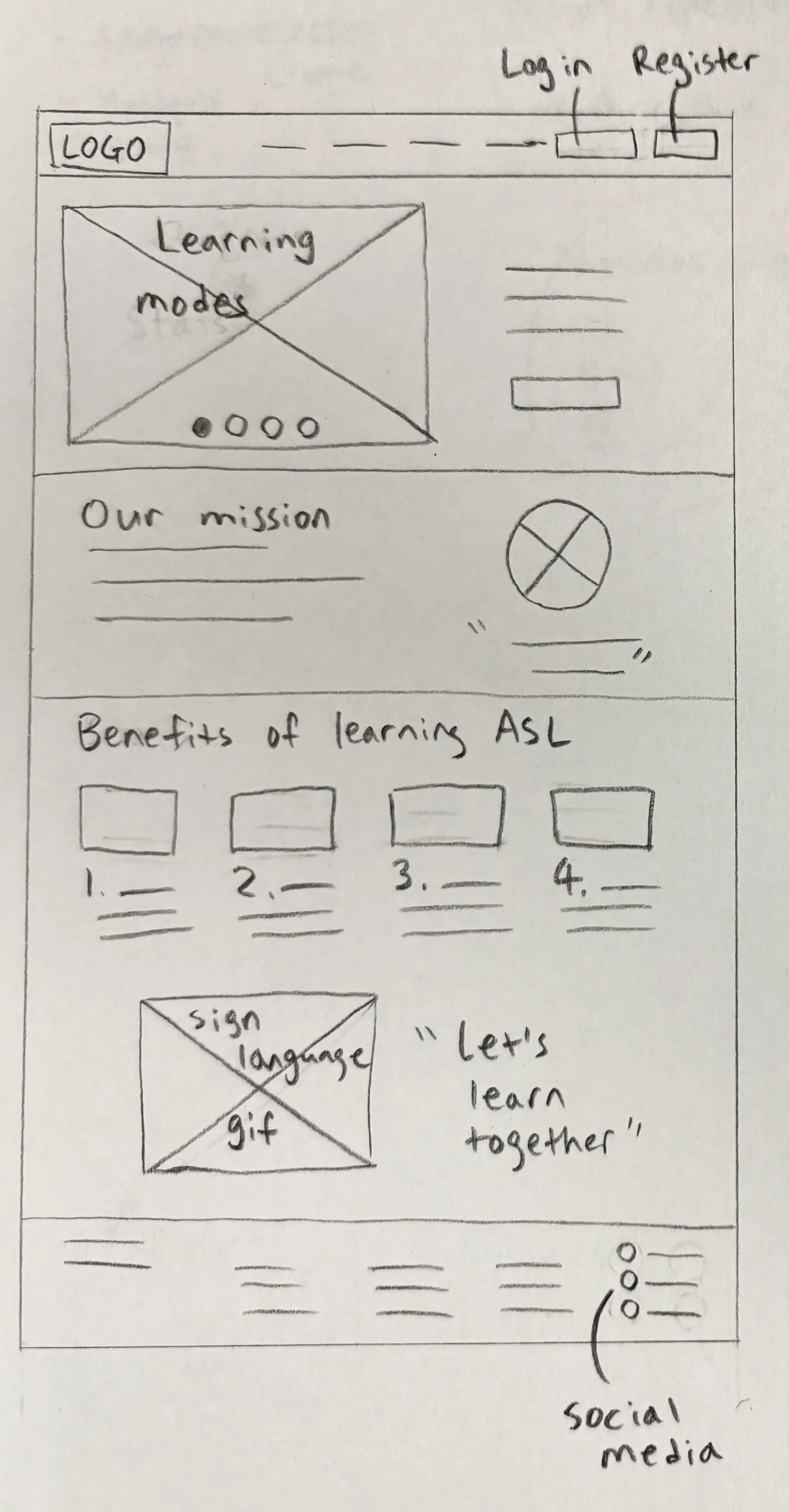
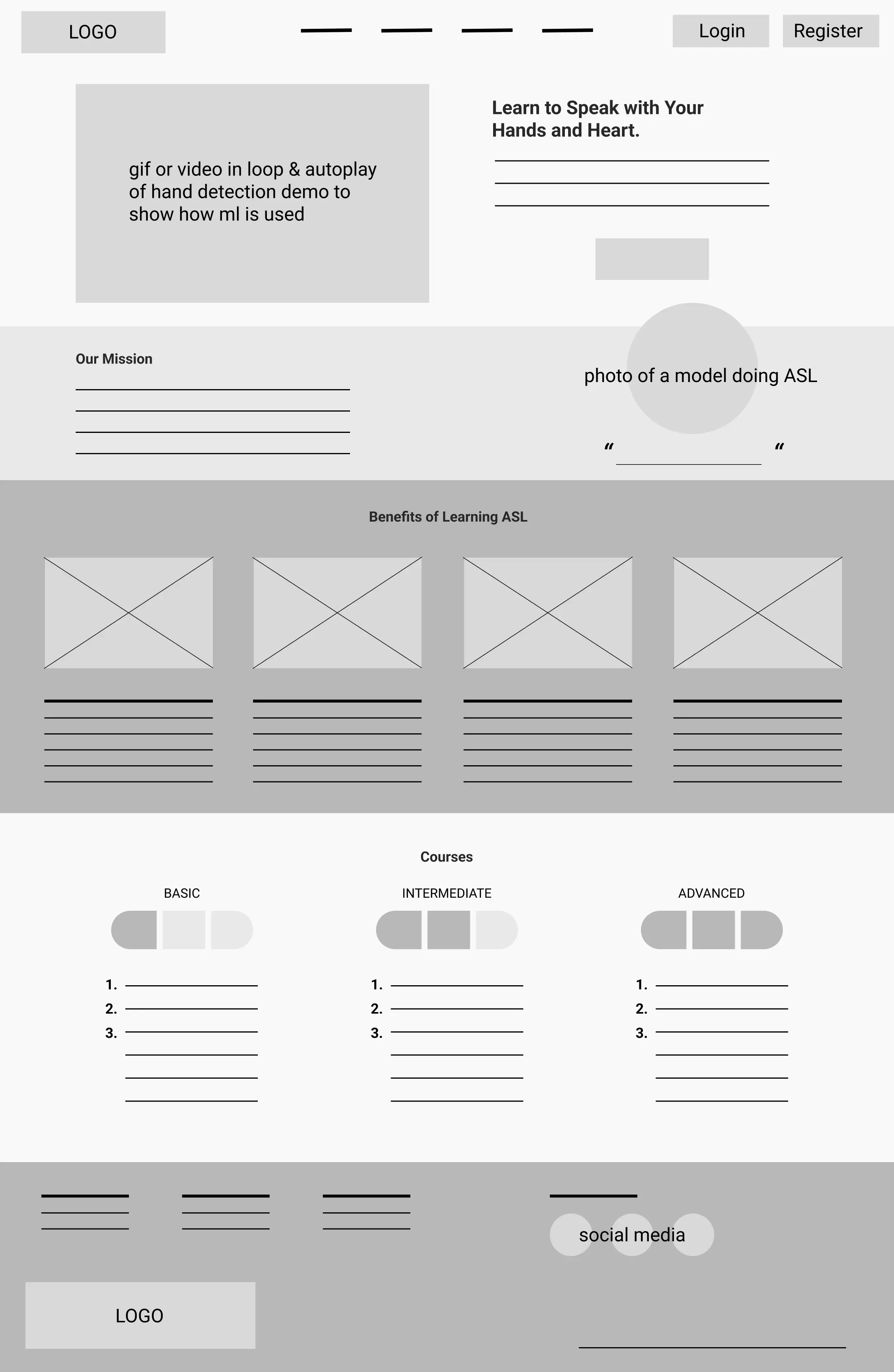
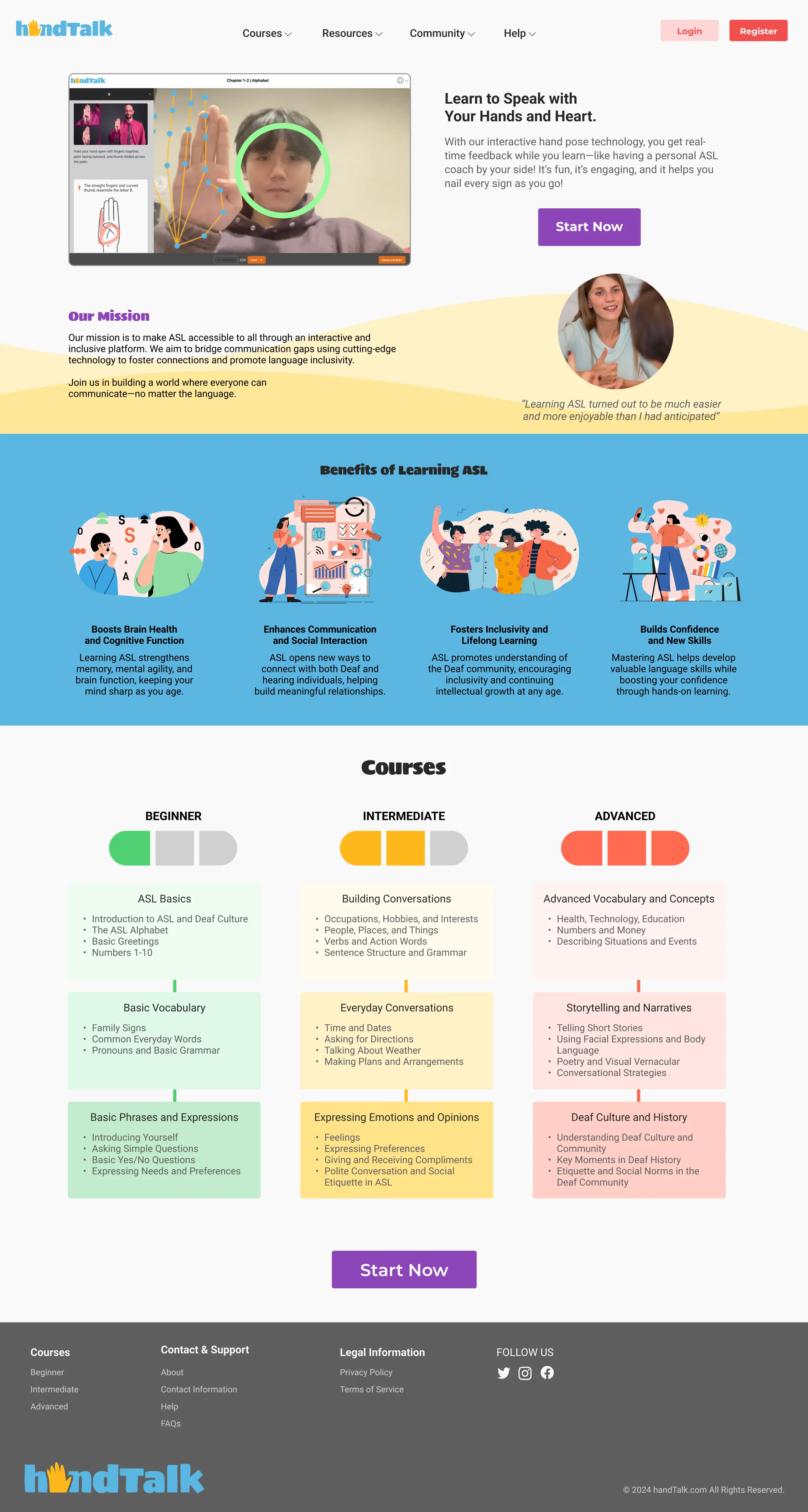
I sketched wireframes, mapped a sitemap, and refined everything in Figma. The learning screen combined:
A video tutorial from multiple angles.
A visual hand diagram as a memory aid.
Real-time feedback via machine learning models.
A hand-stretch “break pop-up” to ease fatigue.
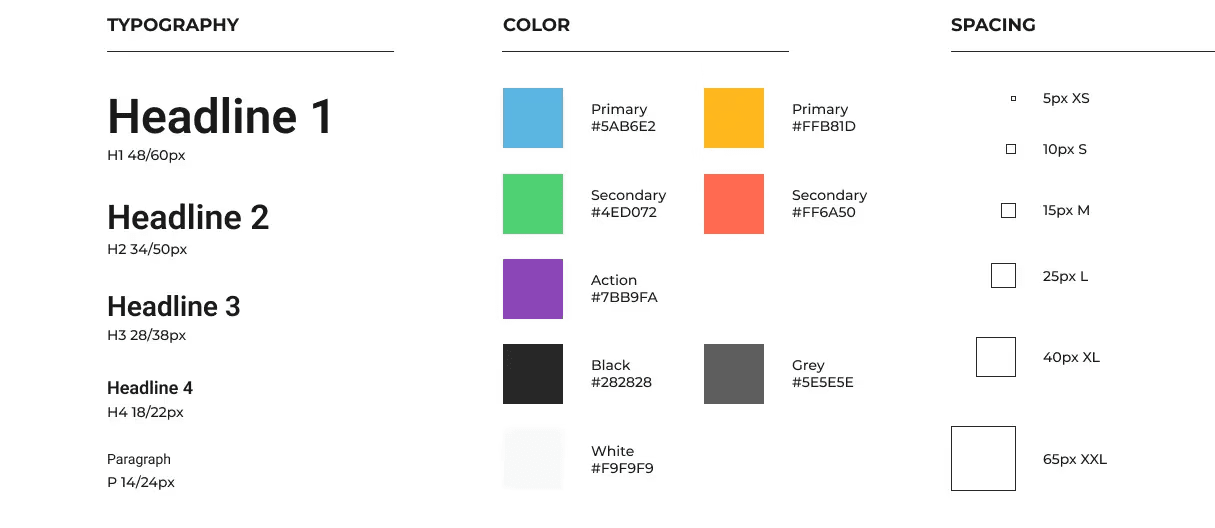
The UI and the logo leaned on bright colors, rounded shapes, and friendly visuals to counter the perception of ASL being “too hard.” I built a design system with accessibility in mind: readable font sizes, clear icons, and WCAG-compliant colors.
 |  |  |
Collaboration & Development
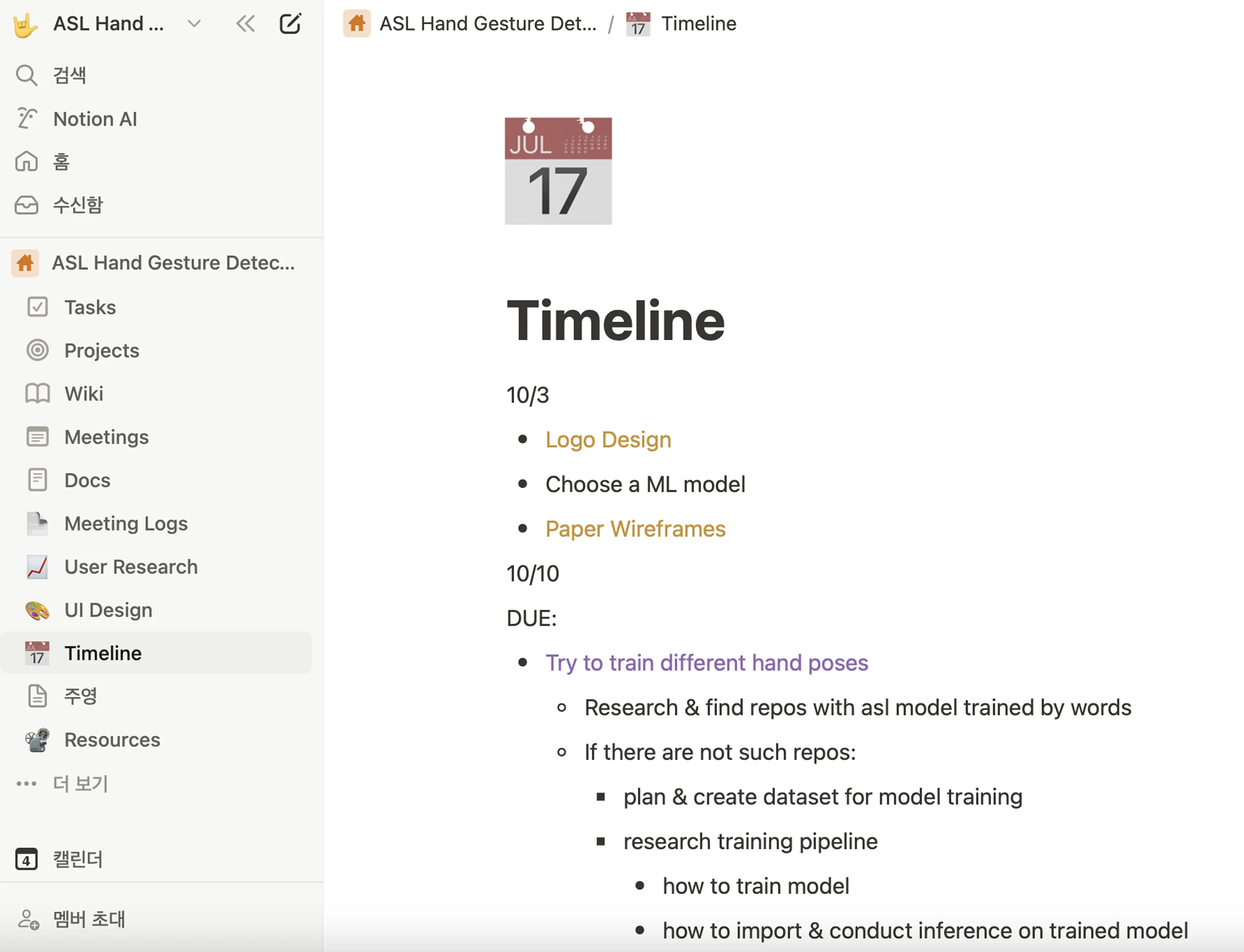
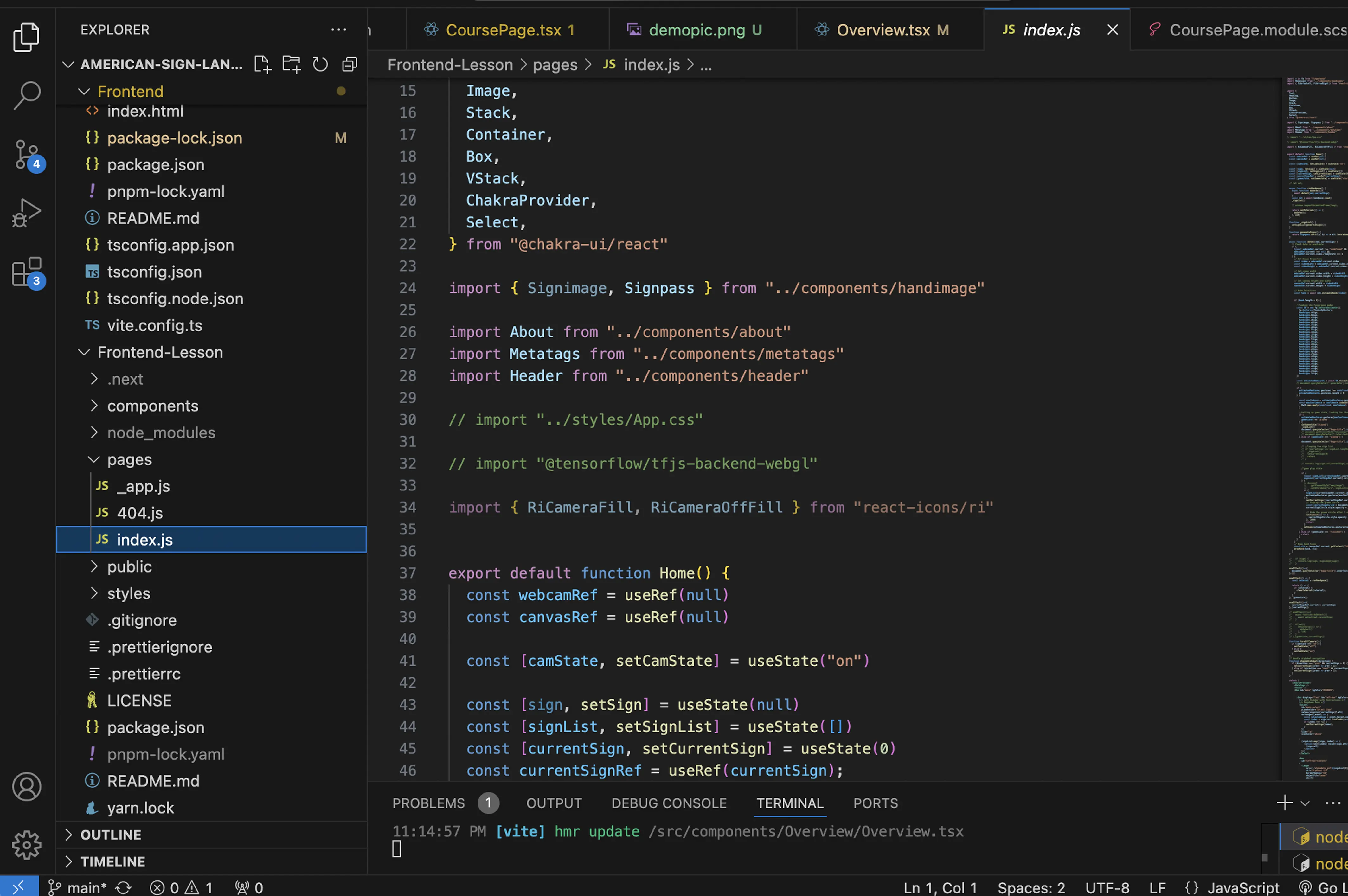
I worked with two Computer Science collaborators to integrate TensorFlow hand pose models using React.js. My role was leading the UI/UX while ensuring the machine learning features blended seamlessly into the experience. Weekly meetings kept us aligned on feasibility and progress.
 |  |
What I Learned
Empathy unlocks clarity. Listening to instructors and learners shaped better design choices than assumptions ever could.
Design and tech must serve each other. Machine learning was exciting, but what mattered most was how it supported learners.
Play matters. Friendly visuals, animations, and interactivity made the platform more approachable for hesitant beginners.
Looking Forward
HandTalk currently focuses on the alphabet, but it set the groundwork for expanding into vocabulary and grammar. With deeper collaboration with the Deaf community and ASL educators, I believe it could grow into a comprehensive tool for inclusive language learning.
Watch the Full Demo Video:
You can find the extended research and design rationale in my presentation and academic paper.
More to Discover


DESIGNING FOR ACCESSIBILITY USING MACHINE LEARNING
A reflection on how I designed HandTalk, my capstone project that blends empathy, research, and machine learning to reimagine how beginners experience learning American Sign Language online.
Updates
Sep 27, 2025
When I started my capstone project, I wanted to take on something meaningful: a design challenge that blended accessibility, technology, and education. That’s how HandTalk, an interactive web platform that helps beginners learn American Sign Language (ASL), was born.
Why ASL?
My interest in ASL grew out of my work with underrepresented communities through Give Orange New York Inc. While I had supported many causes, I realized I had never focused on the Deaf community, a group often overlooked in design and technology. As a UI/UX designer passionate about accessibility, I wanted to explore how digital tools could make ASL learning less intimidating and more engaging.
The Challenge
Most ASL learners rely on static videos or books that lack real-time feedback. Beginners often struggle with memorization, hand fatigue, or uncertainty about whether they’re signing correctly. My goal was to design an experience that felt supportive, interactive, and fun rather than isolating.
Research & Insights
I conducted a user survey with peers, took ASL classes for hands-on experience, and interviewed with two ASL instructors (Isa, a hearing ASL teacher, and Taj, a Deaf certified instructor). Their feedback emphasized:
Real-time feedback is essential to prevent bad habits.
Video from multiple angles is more effective than static images.
Learners often want to start with the alphabet first.
These insights became the foundation for HandTalk, and you can see how they translated into features and design choices in my academic paper and presentation.
Design Process
I sketched wireframes, mapped a sitemap, and refined everything in Figma. The learning screen combined:
A video tutorial from multiple angles.
A visual hand diagram as a memory aid.
Real-time feedback via machine learning models.
A hand-stretch “break pop-up” to ease fatigue.
The UI and the logo leaned on bright colors, rounded shapes, and friendly visuals to counter the perception of ASL being “too hard.” I built a design system with accessibility in mind: readable font sizes, clear icons, and WCAG-compliant colors.
| | |
Collaboration & Development
I worked with two Computer Science collaborators to integrate TensorFlow hand pose models using React.js. My role was leading the UI/UX while ensuring the machine learning features blended seamlessly into the experience. Weekly meetings kept us aligned on feasibility and progress.
| |
What I Learned
Empathy unlocks clarity. Listening to instructors and learners shaped better design choices than assumptions ever could.
Design and tech must serve each other. Machine learning was exciting, but what mattered most was how it supported learners.
Play matters. Friendly visuals, animations, and interactivity made the platform more approachable for hesitant beginners.
Looking Forward
HandTalk currently focuses on the alphabet, but it set the groundwork for expanding into vocabulary and grammar. With deeper collaboration with the Deaf community and ASL educators, I believe it could grow into a comprehensive tool for inclusive language learning.
Watch the Full Demo Video:
You can find the extended research and design rationale in my presentation and academic paper.
More to Discover
DESIGNING FOR ACCESSIBILITY USING MACHINE LEARNING
A reflection on how I designed HandTalk, my capstone project that blends empathy, research, and machine learning to reimagine how beginners experience learning American Sign Language online.
Updates
Sep 27, 2025
When I started my capstone project, I wanted to take on something meaningful: a design challenge that blended accessibility, technology, and education. That’s how HandTalk, an interactive web platform that helps beginners learn American Sign Language (ASL), was born.
Why ASL?
My interest in ASL grew out of my work with underrepresented communities through Give Orange New York Inc. While I had supported many causes, I realized I had never focused on the Deaf community, a group often overlooked in design and technology. As a UI/UX designer passionate about accessibility, I wanted to explore how digital tools could make ASL learning less intimidating and more engaging.
The Challenge
Most ASL learners rely on static videos or books that lack real-time feedback. Beginners often struggle with memorization, hand fatigue, or uncertainty about whether they’re signing correctly. My goal was to design an experience that felt supportive, interactive, and fun rather than isolating.
Research & Insights
I conducted a user survey with peers, took ASL classes for hands-on experience, and interviewed with two ASL instructors (Isa, a hearing ASL teacher, and Taj, a Deaf certified instructor). Their feedback emphasized:
Real-time feedback is essential to prevent bad habits.
Video from multiple angles is more effective than static images.
Learners often want to start with the alphabet first.
These insights became the foundation for HandTalk, and you can see how they translated into features and design choices in my academic paper and presentation.
Design Process
I sketched wireframes, mapped a sitemap, and refined everything in Figma. The learning screen combined:
A video tutorial from multiple angles.
A visual hand diagram as a memory aid.
Real-time feedback via machine learning models.
A hand-stretch “break pop-up” to ease fatigue.
The UI and the logo leaned on bright colors, rounded shapes, and friendly visuals to counter the perception of ASL being “too hard.” I built a design system with accessibility in mind: readable font sizes, clear icons, and WCAG-compliant colors.
| | |
Collaboration & Development
I worked with two Computer Science collaborators to integrate TensorFlow hand pose models using React.js. My role was leading the UI/UX while ensuring the machine learning features blended seamlessly into the experience. Weekly meetings kept us aligned on feasibility and progress.
| |
What I Learned
Empathy unlocks clarity. Listening to instructors and learners shaped better design choices than assumptions ever could.
Design and tech must serve each other. Machine learning was exciting, but what mattered most was how it supported learners.
Play matters. Friendly visuals, animations, and interactivity made the platform more approachable for hesitant beginners.
Looking Forward
HandTalk currently focuses on the alphabet, but it set the groundwork for expanding into vocabulary and grammar. With deeper collaboration with the Deaf community and ASL educators, I believe it could grow into a comprehensive tool for inclusive language learning.
Watch the Full Demo Video:
You can find the extended research and design rationale in my presentation and academic paper.